How to Use Zapper
Step 1: Download Zapper
Download the latest version from the Downloads page. Open your Downloads folder and double-click the Zapper v1.x.x.exe installer.

Step 2: Windows Security Prompt
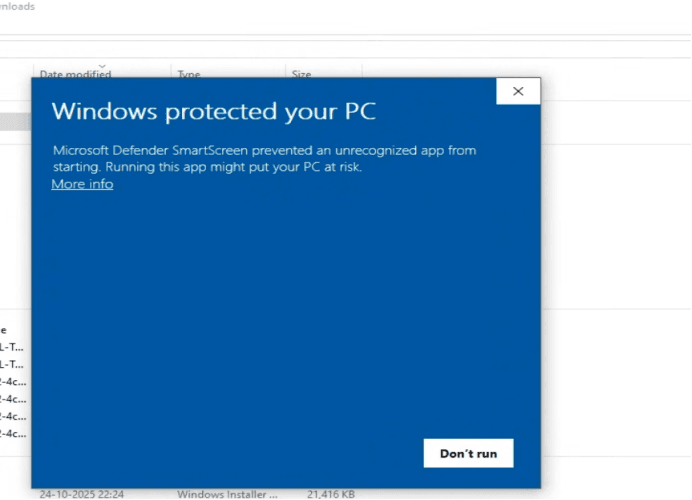
If Windows SmartScreen appears, click More info and then Run anyway. The application is safe. The first launch may take 30–45 seconds; later launches usually take less than 3 seconds.
Step 3: Activate License
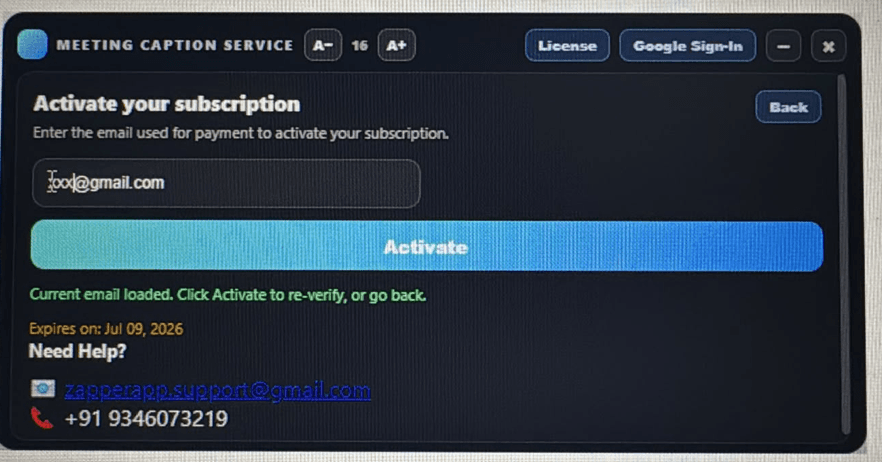
Open Zapper, click License, enter the Customer Email ID provided by the Zapper team, and click Activate.
Step 4: Join Google Meet
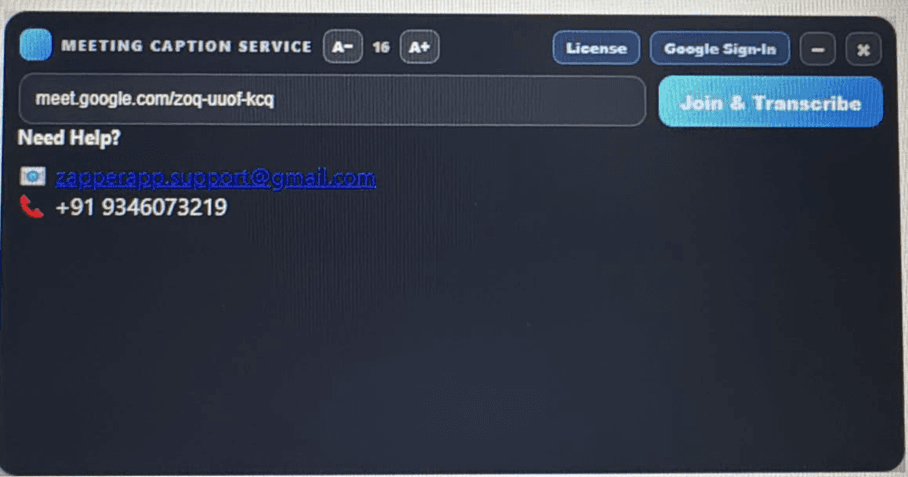
Paste the Google Meet link shared by the host and click Join & Transcribe.
Step 5: Start Live Transcription
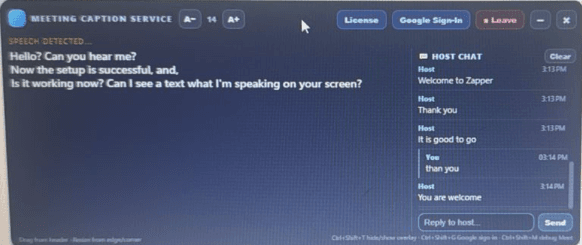
After joining, request the host to admit you if required. Live captions will begin automatically once admitted.
Need Assistance?
Email: zapperapp.support@gmail.com
Phone & WhatsApp: +91 9346073219
Thank you for choosing Zapper.